::Trend Micro Threat Resource Center::

Showing posts with label encryption. Show all posts

26 January 2016

Apple Can Still Read Your End-to-End Encrypted iMessages

If you are backing up your data using iCloud Backup, then you need you watch your steps NOW!


In government fight against encryption, Apple has positioned itself as a staunch defender of its user privacy by refusing the federal officials to provide encryption backdoors into its products.

When it comes to Apple's iMessage service, the company claims that it can't read messages sent between its devices because they use end-to-end encryption, which apparently means that only you and the intended recipient can read it.

Moreover, in case, if the federal authorities ask Apple to hand over messages related to any of its users, there is nothing with Apple to offer them.


"If the government laid a subpoena to get iMessages, we can't provide it," Apple CEO Tim Cook told Charlie Rose back in 2014. "It is encrypted, and we do not have a key."

But Wait!

There are still hundreds of Millions of Apple users whose data are stored on Apple's servers in plain text even after Apple's end-to-end encryption practice.

Apple Stores Your Backup in Encrypted Form, But with its Own Key


It turns out that Apple forgets to offer its so-called privacy benefits to users with iCloud Backup enabled.

If you have enabled iCloud Backup on your Apple devices, the copies of all your messages, photographs and every important data stored on your device, are encrypted on iCloud using a key controlled by the company, and not you.

This allows Apple, and hence anyone who breaks into your account, to see your personal and confidential data.

In past, we have seen incidents like The Fappening in which hackers broke into Apple's iCloud accounts to steal nude selfies of over hundred famous celebrities and thus circulated them on the Internet.

Apple allows you to switch off iCloud Backup whenever you want, but it doesn't offer a way to locally encrypt iCloud backups that would allow the company to store your personal data, including iMessage and SMS messages, on its servers but not access it.

Give the Encryption Keys in Hands of Users
Yes, it is possible to do encrypted non-cloud backups locally through iTunes, though it isn't always a so obvious choice to average users.

No doubt, Apple provides end-to-end encryption for your messages that even Apple can not access or read it, but only if you avoid the backup feature that it encourages its customers to use every time.

In fact, the company asks users to set up an iCloud account as soon as they activate their new iPhone or iPad.

However, Apple doesn't clearly states that by doing so, users otherwise 'unreadable' iMessages and other personal data become very much readable to the company as well as to anyone – whether it's law enforcement agents with a court order or hackers with access to your account.

Although it's difficult to say how many Apple users are affected, the most recent estimation from Asymco indicates there were around 500 Million iCloud users in March of 2014.

However, the exact number of users actually using iCloud Backups isn't clear yet.

Motherboard reached out to the company, but neither Apple told the estimated percentage of people using iCloud backup, nor it gave a reason for not giving users the option to store cloud backups that are encrypted locally.

One reason could be:  By allowing such backups, Apple doesn't want that its users who forget the passcode could not decrypt their data.

How to Turn Off iCloud Backup on the iPhone
We know, there is a war against the federal authorities and Apple over encryption. The law enforcement agencies are not at all happy with Apple using stronger encryption in its devices that makes it impossible for them to collar criminals.

In this situation, if Apple ignores such critical loopholes in its products, it would be possible for the federal officials to force the company to hand over its users data citing law orders.

For many users, the encryption offered by Apple is more than enough. However, if you do not want the company to access your data, the only solution is:

  • Backup your personal data locally through Apple's iTunes.
  • Turn off iCloud Backup. Go to Settings → iCloud → Storage & Backup → iCloud Backup.
  • Now, tap the OK button to confirm that your iPhone will no longer be backing up your data automatically to your iCloud storage.

23 November 2015

Many embedded devices ship without adequate security tests

An analysis of hundreds of publicly available firmware images for routers, DSL modems, VoIP phones, IP cameras and other embedded devices uncovered high-risk vulnerabilities in a significant number of them, pointing to poor security testing by manufactuers.


The study was performed by researchers from the Eurecom research center in France and Ruhr-University Bochum in Germany, who built an automated platform capable of unpacking firmware images, running them in an emulated environment and starting the embedded Web servers that host their management interfaces.

The researchers started out with a collection of 1,925 Linux-based firmware images for embedded devices from 54 manufacturers, but they only managed to start the Web server on 246 of them. They believe that with additional work and tweaks to their platform that number could increase.

The goal was to perform dynamic vulnerability analysis on the firmware packages' Web-based management interfaces using open-source penetration testing tools. This resulted in 225 high-impact vulnerabilities being found in 46 of the tested firmware images.

A separate test involved extracting the Web interface code and hosting it on a generic server so it could be tested for flaws without emulating the actual firmware environment. This test had drawbacks, but was successful for 515 firmware packages and resulted in security flaws being found in 307 of them.

The researchers also performed a static analysis with another open-source tool against PHP code extracted from device firmware images, resulting in another 9046 vulnerabilities being found in 145 firmware images.

In total, using both static and dynamic analysis the researchers found important vulnerabilities like command execution, SQL injection and cross-site scripting in the Web-based management interfaces of 185 unique firmware packages, affecting devices from a quarter of the 54 manufacturers.

The researchers focused their efforts on developing a reliable method for automated testing of firmware packages without having access to the corresponding physical devices, rather than on the thoroughness of the vulnerability scanning itself. They didn't perform manual code reviews, use a large variety of scanning tools or test for advanced logic flaws.

This means that the issues they found were really the low hanging fruit -- the flaws that should have been easy to find during any standard security testing. This begs the question: why weren't they discovered and patched by the manufacturers themselves?

It would appear that the affected vendors either didn't subject their code to security testing at all, or if they did, the quality of the testing was very poor, said Andrei Costin, one of the researchers behind the study.

Costin presented the team's findings at the DefCamp security conference in Bucharest on Thursday. It was actually the second test performed on firmware images on a larger scale. Last year, some of the same researchers developed methods to automatically find backdoors and encryption issues in a large number of firmware packages.

Some of the firmware versions in their latest dataset were not the latest ones, so not all of the discovered issues were zero-day vulnerabilities -- flaws that were previously unknown and are unpatched. However, their impact is still potentially large, because most users rarely update the firmware on their embedded devices.

At DefCamp, attendees were also invited to try to hack four Internet-of-Things devices as part of the on-site IoT Village. The contestants found two critical vulnerabilities in a smart video-enabled doorbell that could be exploited to gain full control over the device. The doorbell also had the option to control a smart door lock.

A high-end D-Link router was also compromised through a vulnerability in the firmware version that the manufacturer shipped with the device. The flaw was actually known and has been patched in a newer firmware version, but the router doesn't alert users to update the firmware.

Finally, the participants also found a lower-impact vulnerability in a router from Mikrotik. The only device that survived unscathed was a Nest Cam.

Details about the vulnerabilities have not yet been shared publicly because the IoT Village organizers, from security firm Bitdefender, intend to report them to the affected vendors first so they can be patched.

03 March 2015

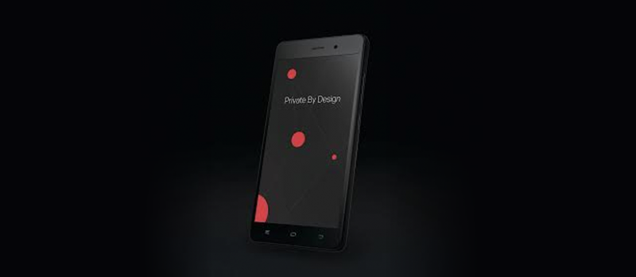
Blackphone 2 Is Probably the World's Most Secure Smartphone


"While the rest of the market is going one way, with selfie sticks and curved screens, we're going down another, to the heart of problems, sticking with privacy and security," said Silent Circle's Mike Janke at the launch of the company's new secure smartphone, the Blackphone 2. And he's not kidding — though no frills in design, it's kitted out with some serious security features.

First, the hardware. A 5-inch handset with a Full HD screen (protected on the outside by Gorilla Glass 3), it's running on a 64-bit Qualcomm octa-core processor, backed by 3GB of RAM. A removable 3060mAh battery sits inside (with Quick Charge 2.0 features), with microSDXC support for expandable memory. So far, so standard.

It's on the software side where things get a bit more interesting, and that 3GB of RAM shows its worth. Though Running on Android, the phone is equipped with Silent Circle's PrivateOS 1.1, an enterprise-orientated, highly secure layer that sits on top of Google's OS.

This gives users a "Spaces" UI, which keeps the different areas of your mobile life encrypted and compartmentalised. It's essentially a virtualisation system, letting the Blackphone 2 act as separate "devices" within itself, even offering different log-ins running concurrently on each app or service. So, you can set up an Enterprise Space for your work documents and communications, a Personal Space for your private emails and saucy sexting pics, and a Silent Space that's pretty much a phone-wide version of Chrome's "Incognito Mode".

Each space can be filled with the "Silent Suite" apps, whose functions are pretty self explanatory; Silent Text, Silent Contacts and Silent Phone, each keeping your communications encrypted and isolated from each other. The phone will also come equipped with the Silent Store, the world's first-privacy and security orientated app store.

Those looking to use the phone for conference calling will benefit also from the new Silent Meeting function. This lets you set up secure conference calls with as many as 50 participants, offering scheduling and invitation tools too. Providing all users are using the Silent Meeting feature, there's no need for annoying log-in passwords, with the encryption and security being handled behind the scenes.

"We're replacing BlackBerry, we don't care that BlackBerry's CEO is throwing nasty things about us onto Twitter. We're going to dominate them," said Silent Circle security specialist (and former Navy Seal) Mike Janke at today's launch. While that's not a massive claim to make with BlackBerry on the backfoot, if the Blackphone 2 can live up to its secure claims, it'll certainly fill a hole left by BlackBerry's disappointing touchscreen smartphones.

Due out in the summer, the Blackphone 2 is expected to retail at $629 usd.

13 January 2015

Researchers measure reach of Australian TorrentLocker variant


Last year there were more than 10,000 web hits related to versions of the TorrentLocker malware tailored to Australian audiences in a single month of monitoring by security researchers.

TorrentLocker is a strain of malware that encrypts users' files and forces victims to pay a ransom in bitcoins in order to receive a key to decrypt them.

The base price in Australia is $598, but the ransomware threatens to double the price in 96 hours. Payment takes place through the Tor anonymity service.

TorrentLocker identifies itself as CryptoLocker, which is a separate piece of malware that operates in a similar fashion.

Security vendor Trend Micro and Deakin University researchers monitored local TorrentLocker activity in November last year and registered more than 10,000 hits relating to the malware originating from Australia.

The level of traffic to TorrentLocker-related addresses was obtained by studying a sample from the Trend Micro Web Reputation Service (WRS) and Smart Protection Network.

TorrentLocker phishing emails and destination URLs impersonated Australia Post and NSW's Office of State Revenue.

"This strain of CryptoLocker tailored for Australian victims started in the second half of 2014, and continued up to Christmas Eve," Jon Oliver, a senior threat researcher at Trend Micro Australia, said in a statement.

"The outbreaks have stopped for the New Year break, but will almost certainly continue in the New Year."

"These attacks are technically sophisticated and specifically aimed at Australians and have been significantly increasing since July with an enormous impact on businesses and individuals," said Deakin University's Professor Yang Xiang.

Full report available for download here.

17 December 2014

TorLocker ransomware variant designed to target Japanese users

Ransomware is nothing new to Japan. Symantec’s research has found that Japan ranks among the regions that are the most affected by global ransomware attacks. However, no attacks specifically targeting Japanese users have ever been confirmed. That is, until now. In the recent weeks, Symantec has observed a ransomware variant in the wild that was designed to target users who speak Japanese.


Figure 1. Ransomware attacks in November 2014 by region

The ransomware threat in question is a localized variant of TorLocker. The malware encrypts files with certain file extensions on the compromised computer and demands that the user pays in order to decrypt the files. Symantec has confirmed multiple variants of this particular Japanese ransomware threat.

TorLocker has been used in ransomware attacks around the world. The threat is part of an affiliate program, where the program’s operator gives participants the builder to create custom ransomware, access to the TorLocker control panel to track infections, and miscellaneous files to be used in conjunction with the malware. In return, the participants give a portion of the profit from the attack to the affiliate program’s operator.

Infection
The localized variant’s attacks on Japanese users have occurred on compromised websites that commonly host blogs. However, it is also possible that the attacker is renting an exploit kit to automatically compromise victims’ computers by exploiting software vulnerabilities. In one case, a recently compromised site owned by a Japanese publishing company redirected traffic to several domains hosting the Rig exploit kit. This may have ultimately served the ransomware as a payload.

In another case in late November, a blog site was compromised to display a fake Adobe Flash Player installer page.


Figure 2. Fake Adobe Flash Player installer page

If the user clicks on the yellow install button, they are prompted to download and execute a setup file to install the plugin. However, the file does not contain the typical icon used in Flash Player installers. The file is not digitally signed either, which suggests that the installer is a phony.


Figure 3. Icon of the installer downloaded from the fake Flash Player page

Once the setup file is executed, it does not install Flash Player. Instead, it encrypts certain files and displays a message in Japanese in popup window, stating that the computer has been locked. The message then asks the user to pay in order to unlock their files. The demanded ransom ranges from 40,000 yen to 300,000 yen (approximately US$500 to US$3,600).

Figure 4. Pop-up window of the TorLocker ransomware variant targeting Japanese-speaking users

Stay protected
Japan is approaching its week-long New Year holiday. The long break is a perfect opportunity for the attacker to perform its campaign, as many users will likely surf the internet during the time off. Symantec has the following recommendations to avoid or mitigate ransomware infections:

  • Update the software, operating system, and browser plugins on your computer to prevent attackers from exploiting known vulnerabilities.
  • Use comprehensive security software, such as Norton Security, to protect yourself from cybercriminals.
  • Regularly back up any files stored on your computer. If your computer has been compromised with ransomware, then these files can be restored once the malware is removed from the computer.
  • Never pay the ransom. There’s no guarantee that the attacker will decrypt the files as promised once they receive payment.

20 November 2014

WhatsApp Messenger Adds End-to-End Encryption by Default

Good news for all Privacy Lovers! Finally the wildly popular messaging app WhatsApp has made end-to-end encryption a default feature, stepping a way forward for the online privacy of its users around the world.


WhatsApp, most popular messaging app with 600 Million users as of October 2014, has partnered with Open Whisper Systems to boost its privacy and security by implementing strong end-to-end encryption on all text messages.

The strong end-to-end encryption here means that even Mark Zuckerberg himself can't pry into your conversations, even if asked by law enforcement officials. The app maker describe this move as the "largest deployment of end-to-end encryption ever."

The Open Whisper System is a non-profit software organisation started by security researcher Moxie Marlinspike, who is behind the development of TextSecure app used for encryption. Over the past three years, his team has been in the process of developing a 'modern, open source, strong encryption protocol' for messaging service, which is now being incorporated into Whatsapp.

A simplified picture of how OTR protocol works, courtesy of WhisperSystems

There are some limits to WhatsApp's end-to-end encryption, as so far, it only works on Android platform (with iOS coming soon) and covers only one-to-one messages, not group messages. Also the app is now open to potential man-in-the-middle (MitM) attacks because there's no way to check or verify the identity of the person you are messaging.

WhatsApp was bought by Facebook for $19 billion in February. The popular app has been criticized over the years for a series of security and privacy issues. But after the announcement of this rollout, it has been praised over the internet by security folks.

Other encryption messaging apps do exist currently, including Cryptochat, Silent Text and Telegram, but according to the Verge, WhatsApp will be the largest to implement this type of end-to-end encryption ever.

Open Whisper Systems is a company built from open source contributors and a dedicated team to advance "state of the the art" secure communication, and is best known as the developer of the Signal, Redphone, and TextSecure apps.

25 September 2014

Mozilla fixes "phishing friendly" cryptographic bug in Firefox and Thunderbird

Here's a quick note about an important issue!

Mozilla just patched a bug in its cryptographic library, NSS.

NSS stands for Network Security Services, used by Mozilla products such as Firefox (web browsing), Thunderbird (email) and SeaMonkey (both).

All these products have now been patched, including the Firefox Extended Support Release (ESR) verions.

→ As far as I am aware, Google's Chrome and Chromium browsers, as well as Opera, also use NSS.

The bug is rated "critical" because is deals with the validation of digital signatures in TLS connections.

TLS (Transport Layer Security), often also known by its old name of SSL (Secure Sockets Layer), is the cryptographic protocol that puts the S in HTTPS.

When you use HTTPS, it's not just confidentiality you are after, but also integrity (to stop a crook fiddling with the message in transit) and authenticity (to stop a crook claiming to be your bank).

Without certificate validation, you could easily end up conducting a totally secure and unsniffable interaction...

...with a complete imposter.

Unfortunately, this recently-patched NSS vulnerability affects digital signature verification in all the abovementioned products.

Phishing HTTPS logins
Remember that crooks who have hacked into your Wi-Fi access point – at your local coffee shop, for instance – could sneakily redirect any of your HTTPS logins to to phishing sites instead.

Uusally, however, the crooks can't present a digital certificate to vouch for the fake site they have drawn you into.

Sometimes, the crooks avoid the need for digital certificates altogether by dropping back to a plain old HTTP site that doesn't use encryption at all.

You should be able to spot this sort of ruse due to the absence of any security indicators in the address bar of your browser.


Or the crooks could present a TLS certificate that claims to be from your bank, but which isn't vouched for by any recognised certificate authority.

You should be able to spot this sort of ruse due to an "untrusted connection" warning from your browser.


But if there's a cryptographic vulnerability that can be exploited to make a bogus digital certificate seem valid, then the crooks may be able to redirect you to an imposter site without raising any alarms.

And that could lead to the digital theft of your personal information, including usernames and passwords.

Get the latest update

If you have a software product (e.g. Firefox) that uses NSS, make sure you've got the latest update; for Mozilla software, that means (at 2014-09-24T23:45Z):

  • Firefox 32.0.3
  • Firefox ESR 24.8.1
  • Firefox ESR 31.1.1
  • Thunderbird 31.1.2
  • Thunderbird 24.8.1
  • SeaMonkey 2.29.1

For what it's worth, I'm using Firefox 32 on OS X, and the update was so small I didn't get time to read its size during the download.

Applying the update was quick: less than a second to download the patch, and a few more seconds to restart the browser process.


So my recommendation is, "Just do it."

19 August 2014

Yahoo wants to encrypt all of your email, with Google’s help


Yahoo will offer its users full end-to-end email encryption and compatibility with Google’s own end-to-end email encryption at some point in 2015, CNET reports, as Yahoo chief information security officer Alex Stamos on Thursday confirmed the company’s email encryption plans at the Black Hat conference.

End-to-end email encryption will make it harder for third parties to snoop on user data, and it’s a step forward for Yahoo, which has already encrypted email at the data center level. The company hopes to work with other email providers in the future, in addition to Google.

“What this means is that eventually not only will Yahoo Mail users be able to communicate in an encrypted manner with other Yahoo Mail users, but also with Gmail users and eventually with other email systems that adopt similar methodologies,” Stamos said.

“We don’t have any other providers to talk about yet, but the hope is that this is open and will be adopted by many others in the email ecosystem,” a Yahoo spokeswoman said.

Yahoo will be offering its encryption source code to the community this fall, just like Google, hoping that its security will be further improved with help from Yahoo Mail users.

Combined, Google and Yahoo have almost 700 million email users, with Yahoo’s email usage estimated at over 273 million accounts.

18 September 2012

HOWTO Brute Force Android Encryption on Santoku Linux

This HOWTO will guide you through the process of cracking the pin used to encrypt an Android device (Ice Cream Sandwich and Jelly Bean) using brute force on Santoku Linux Community edition.


15 June 2011

Encrypted voice calling for Android

Cellcrypt launched Mobile for Android, a version of its encrypted voice calling application that runs on Android devices operating over Wi-Fi, GSM and CDMA wireless networks.


Cellcrypt Mobile provides encrypted voice calling for off-the-shelf cell phones using government-certified security in an easy-to-use downloadable application that makes highly secure calling as easy as making or placing a normal phone call.

It is a software-only solution that uses the IP data channel of cellular (2G, 3G, 4G), Wi-Fi and satellite networks and can be deployed to personnel anywhere in the world in as little as 10 minutes.

Cellcrypt Mobile for Android is available immediately on devices supporting Android 2.3 and is interoperable with Cellcrypt running on other devices such as Nokia and BlackBerry smartphones.

"Cellular voice interception is different from other types of data breach,” said Nigel Stanley, Practice Leader, Security at Bloor Research, “if you lose a laptop, USB stick or disk drive it can be fairly obvious that the data has gone missing. But with voice, a successful interception can leave no physical trace so there is little chance of realizing your data has actually been intercepted resulting in disastrous consequences. If you can compromise a cell phone then you are more or less assured that you can collect the most relevant, current and damaging data possible about a user, their business or their private life. By supporting Android devices, Cellcrypt is providing enhanced security for one of the world’s most popular mobile platforms.”